|
This page is an archive of previously-published content. The information was accurate at the time it was published; however, the information may no longer be accurate or complete. If you have any questions about current Car-Part products, please contact your sales or support rep.
|
|
New in Photomate:
Mobile Inventory Search
& Enhanced VIN Decode
|
|
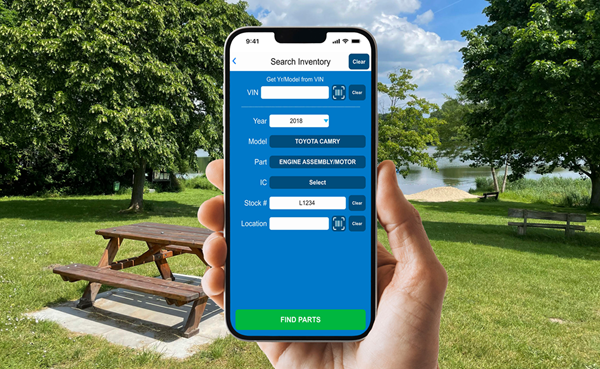
Checkmate's mobile sidekick, Photomate, just got some powerful new features! With the latest version, you can now search your Checkmate inventory while you're on the go, and we've added a new feature that can auto-generate detailed vehicle descriptions from the VIN.
|
|
Search Inventory
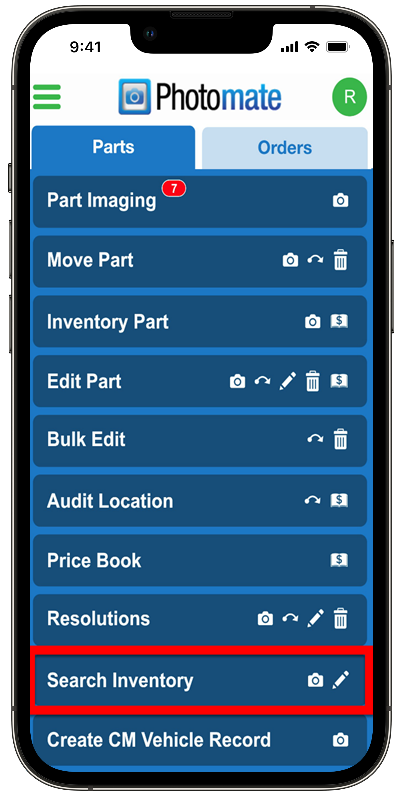
Have you ever had someone ask about a part while you were away from the office? Good news! You can now use Photomate's new Search Inventory function to search your inventory for parts when you’re away from your Checkmate workstation.
|
|
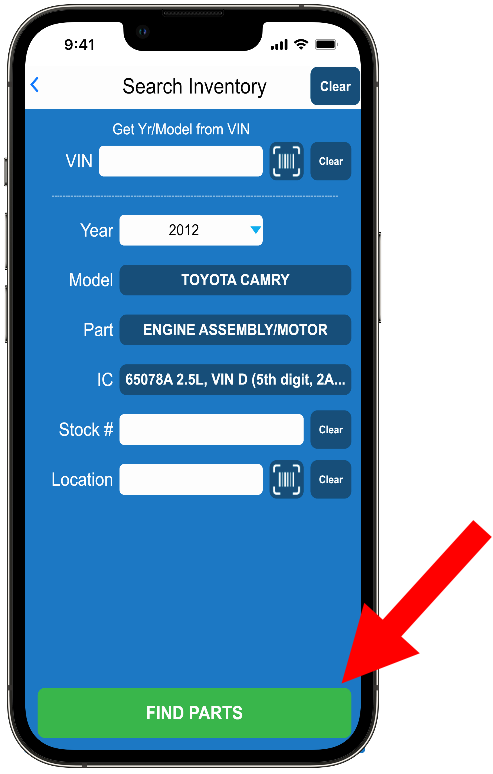
All you need to do is enter some part info, and hit FIND PARTS.
|
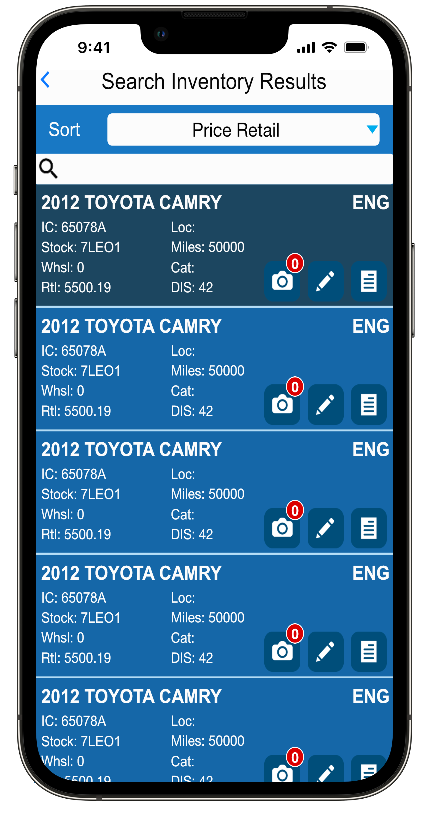
Photomate will search your Checkmate Inventory for all parts that match your search criteria. From your search results, you can:
- add and edit part images,
- review and edit part information,
- and view part details!
|
Note: You cannot search for parts that are on work orders.
Check it out in our video!
Our Search Inventory video shows you this feature in action. Click the thumbnail below to watch.
|
|
Plus: Auto-Generated Vehicle Descriptions
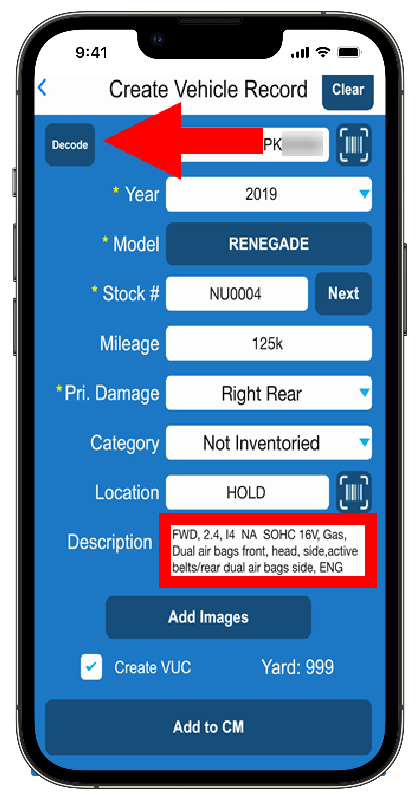
Photomate can now write your vehicle descriptions for you! When you're creating a vehicle record and you enter (or scan) the VIN, Photomate will automatically write a Description, based on the VIN.
|
|
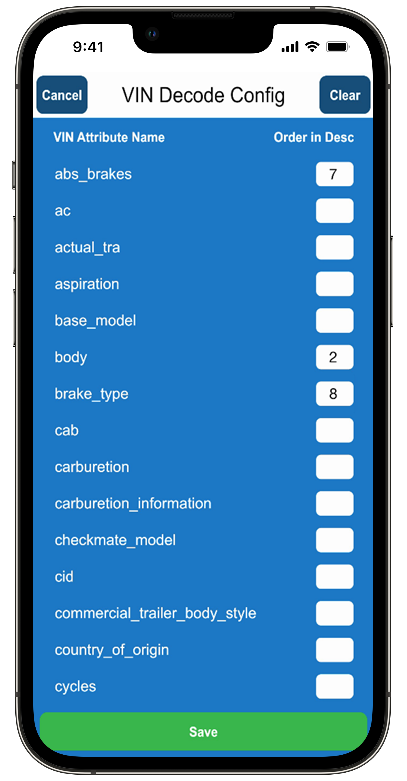
And the best part is that you determine what info Photomate puts in the vehicle descriptions. As part of your Create Vehicle Settings, you can choose which attributes appear in the description, and the order they appear in.
|
Want to learn more about this feature?
We have a quick video (under 3 minutes) that walks you through Setting Your VIN Decode Configuration. Click the thumbnail below to watch. (This video is password-protected. If you need a username and password, your support tech can assist you.)
|
Not seeing these new features?
Then it's time to update! Go to the App Store (iPhone) or Google Play (Android) to update. Contact your support tech if you need help.
|
*Some features shown may require an additional subscription. Contact your salesperson to learn more.
|
|
Florida Auto Dismantlers and Recyclers Association (FADRA) Convention
July 30-August 2, 2026
Cape Canaveral, FL
Booth
- Theresa Colbert Speaking: "Ecommerce Best Practices"
Midwest Summit & Expo
August 14-15, 2026
Indianapolis, IN
Booth
Automotive Recyclers Association of Atlantic Canada (ARAAC) Convention
August 21-22, 2026
St. Jonn's, NL
Booth
Texas Automotive Recyclers Association (TARA) Tri-State Conference & Tradeshow
August 27-27, 2026
Fort Worth, TX
Booth
|
|
© 2026 Car-Part.com. All rights reserved. All trademarks are the properties of their respective owners.
|
|
|
|
|
|